



How to Select the Right Touchscreen Kiosk for Your Business Needs
Customer experience has become a critical differentiator. Touchscreen Kiosks offer businesses across sectors a powerful way to enhance service delivery, streamline operations, and create memorable interactions. However, with the multitude of options available, selecting the right touchscreen kiosk for your specific requirements can be challenging.
This guide will walk you through the essential considerations when evaluating touchscreen kiosk solutions, helping you make an informed decision that aligns with your business objectives and customer expectations.
Understanding Your Business Requirements
Identify Your Primary Use Case
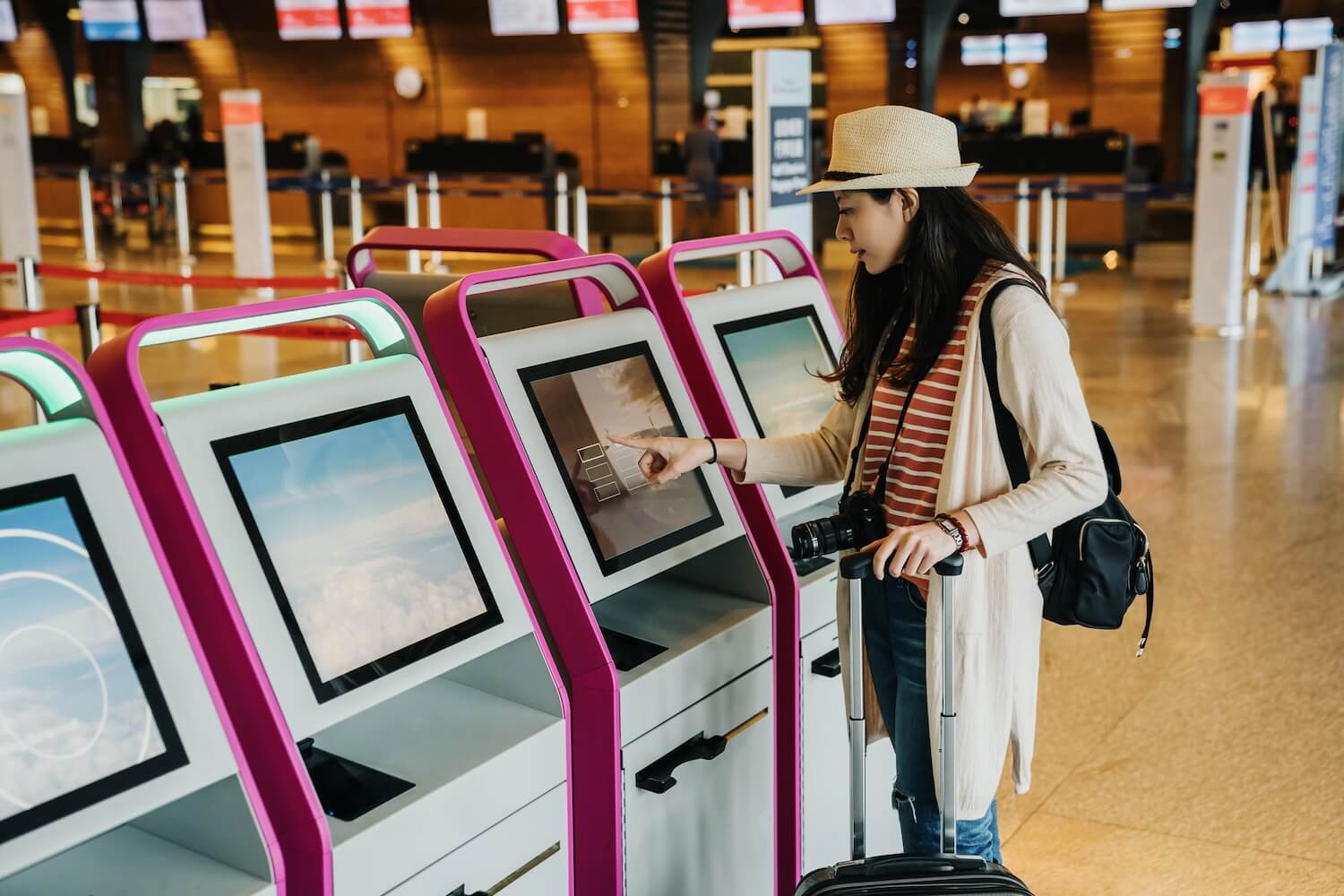
Different applications demand different features from touchscreen kiosk solutions. For example, customer self-service kiosks may be used for check-ins, ordering, or account management, while information delivery kiosks support wayfinding, product catalogues, or educational content. Some kiosks facilitate transaction processing, such as payments, ticketing, or registration, while others are designed for employee-facing applications like inventory management or time tracking. In some cases, a kiosk may need to serve multiple purposes, requiring a blend of features.
A hotel lobby kiosk primarily handling check-ins has significantly different requirements than a museum information kiosk or a quick-service restaurant ordering system. Be specific about your primary use case to narrow your options effectively.
Consider Your Environment
The physical location where your kiosk will operate substantially impacts your hardware decisions. Outdoor installations require weatherproofing, temperature tolerance, and anti-glare screens, while public spaces demand more robust security and durability. Bright environments need high screen brightness and anti-glare technology, and space limitations will determine form factor options. If your environment is noisy, consider whether audio features are practical or necessary.
Evaluate User Demographics
Understanding who will use your kiosk is essential for selecting appropriate features. Older users may benefit from larger text and simplified interfaces, and those with limited technical proficiency need intuitive designs and larger touch targets. Accessibility requirements should also be considered, such as height adjustability, screen reader compatibility, and inclusive design features. If users spend more time interacting with the kiosk, ergonomic comfort becomes increasingly important.

Key Technical Considerations for Touchscreen Kiosk Solutions
1. Touch Technology Options
Different touch technologies offer varying benefits depending on your application.
Projected Capacitive (PCAP) is the gold standard for modern touchscreen kiosks. It offers excellent optical clarity, multi-touch capability, durability, and works well with bare fingers or capacitive styluses, making it ideal for most indoor applications where a premium user experience is key.
Infrared Touch creates an invisible grid of infrared beams and works with any input device, including gloved hands. It’s highly durable, scratch-resistant, and well-suited to industrial or outdoor settings.
Surface Acoustic Wave (SAW) touchscreens use ultrasonic waves and provide excellent optical clarity and reliability, particularly for information kiosks where display quality is important.
Resistive Touch responds to pressure and works with any input device. It’s a lower-cost option suitable for industrial environments, though with limited multi-touch capability.
2. Display Specifications
- Display quality directly affects user experience.
- Resolution and size should be matched to content needs and viewing distance. Avoid low resolution on larger screens to prevent pixelation and prioritise high resolution for detailed content.
- Brightness should be chosen according to placement: 300–500 nits for indoor use, 700–1000 nits for window-facing areas, and 1500–2500+ nits for full outdoor installations. Keep in mind that higher brightness can increase power consumption and heat.
- Contrast ratio and viewing angles. High contrast improves readability, and wide viewing angles are crucial for kiosks accessed from multiple directions. IPS panels typically provide the best performance in this regard.
3. Processing Power and Memory
Ensure your kiosk includes adequate computing resources. Match CPU performance to application complexity, with 4GB of RAM suitable for basic apps and 8GB or more required for multimedia content. SSDs are preferred over HDDs for durability and speed, and a dedicated GPU is useful for video-intensive displays.
4. Durability Factors
- Commercial-grade construction is essential.
- Look for tempered glass and reinforced enclosures for impact resistance. Environmental tolerance should include an appropriate temperature range, humidity protection, and ingress protection (IP rating).
- Choose components rated for continuous use, including adequate cooling systems and MTBF (Mean Time Between Failures) ratings.
5. Connectivity Options
Connectivity is key to functionality. Wired Ethernet provides reliability, while Wi-Fi offers installation flexibility. Additional ports like USB and HDMI enable peripheral support and maintenance. Consider whether your setup will need audio inputs/outputs or connections to devices like printers, scanners, and payment systems.
6. Security Features
Protecting your data and physical investment is essential.
Use tamper-resistant enclosures and secure mounting options. Software security may include kiosk lockdown systems and application whitelisting, while network protection involves VPNs and data encryption. For payment processing, ensure PCI DSS compliance. If your kiosk displays sensitive information, privacy filters are recommended.
Evaluating Additional Hardware Components
Peripheral Integration
Think about what additional devices need to be built into or connected with your kiosk. This might include card readers, NFC/contactless payment modules, printers, barcode or QR scanners, RFID readers, and even biometric devices like fingerprint scanners or facial recognition cameras. Accessibility enhancements such as braille overlays and audio jacks may also be required.
Form Factor Considerations
The design of your kiosk should suit its purpose and environment. Choose between freestanding and countertop models depending on available space. Ensure compliance with accessibility standards, including height and reach. Look for opportunities to incorporate branding through customised enclosures, and prioritise clean cable management and safe installation. If you need flexibility, consider models that can be repositioned.
Software Considerations for Touchscreen Kiosk Solutions
Operating System Compatibility
The OS you choose affects software compatibility and support. Windows offers broad compatibility and developer familiarity. Android is lightweight and suits mobile-style interfaces. Linux provides strong security and low licensing costs. Chrome OS is ideal for web-focused use cases with automatic updates.
Remote Management Capabilities
Remote capabilities save time and improve uptime. These should include tools for updating content, monitoring performance, receiving alerts, collecting user data, and resolving issues without needing onsite visits.
User Interface Design
User experience hinges on intuitive design. Ensure navigation is straightforward, with appropriately sized and spaced touch elements. Design should be accessible and include session management features such as automatic timeouts and user privacy resets.
Cost Considerations Beyond Purchase Price
Total Cost of Ownership
Remember to account for installation, software licensing, maintenance, connectivity, power usage, consumables like printer paper, and long-term replacement planning.
Return on Investment Factors
Weigh costs against expected value. Automation can reduce labour costs and increase revenue through upselling or extending service hours. Better customer experience reduces wait times and enhances satisfaction. You’ll also gain valuable data insights and a competitive edge.
Making Your Final Selection
Proof of Concept Testing
Before scaling up, request a demo and if you can, test it in your environment. Have real users interact with it, verify system integration, and ensure it performs under actual usage conditions.
Vendor Evaluation
Look beyond product specs. Evaluate vendor stability, support quality, warranty coverage, and industry references. Confirm that they can accommodate future growth and evolving technology.
Scalability Planning
Plan for the future. Your solution should support additional locations, technology upgrades, and integration with upcoming tools. Standardisation across deployments can reduce complexity and cost.
Choosing the right kiosk requires balancing your business goals, your customers’ expectations, and your operational environment. By following this guide and evaluating all critical factors, you’ll be better positioned to invest in a kiosk system that serves your needs now and into the future.
Contact us today for a no-obligation consultation and demonstration of our industry-leading touchscreen kiosk options. Together, we’ll identify the ideal solution to enhance your customer experience and operational efficiency.